Thursday, March 23, 2006
Coming soon!


Wednesday, March 22, 2006
Difference in HAT screens
see below:
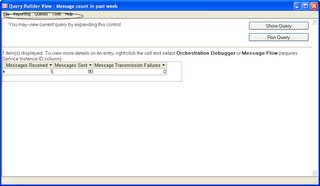
Trying to figure out as if how to terminate the "instances" in 2006 . In 2004 it was done by going to "Operations" and terminating the instances. Do not see anything similair in 2006 as for now. I think I have the answer, it can be done from Biztalk Admin Console
Tuesday, March 21, 2006
Some New Features in Biztalk 2006
1) Having a "drop" down on the top pane of Solution Explorer window.
As in Biztalk 2004 version there was a horizontal scrolling to view all the artifacts contained in the solution. This was very frustrating at times because one could not see all the artifacts at once and needed to keep clicking to get to the right one. 2006 has a drop down that gives the list of all the artifacts at once and one can just click the required one.

2) File adapter (recv and send) contains an option for authentication.
As in 2004 version, biztalk service account had to have full permissions on the shared drive that contains the receive or send folder. In 2006 it need not be. Any user name and password that has permissions to the shared drive can be used to access the shared driver from Biztalk Explorer. It need not be Biztalk service account. 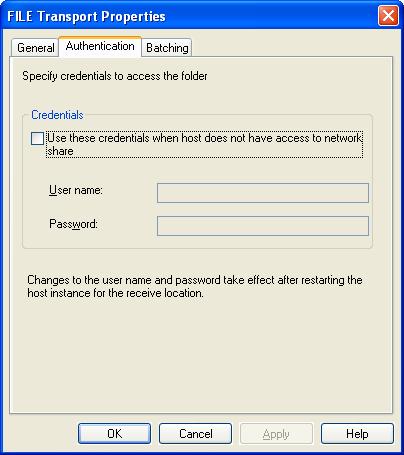
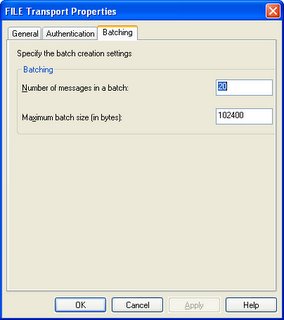
3) File Adapter Batching
The receive location has option of batching the incoming file. This option was not available in 2004.
Thursday, March 16, 2006
Event Name: BizTalk Server 2006 First Look Clinic - Iselin, NJ
For interested people :
Session Code: 1032288971
Session Name: BizTalk Server 2006 for DevelopersSession
Location: Microsoft NJ Office/Long Beach Conference Room
Session Room:
Session City: IselinSession
Start Date: 04/04/06
Tuesday, February 21, 2006
Secure FTP Adapter
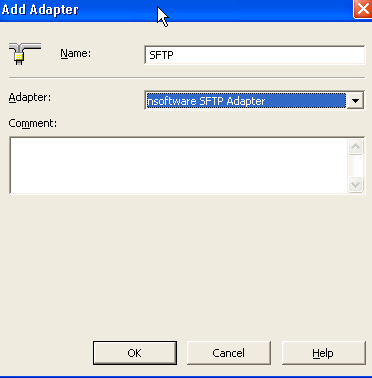
Now, when you go and create a new Send Port. Under the Transport Type you can see the option for new adapter SFTP. You can open the properties for URI and add the information as you will add for standard FTP.

As far I know one of the drawbacks to this adapter is that it does not exposes its properties in Orchestration. I will dig deeper into this. If I can't access the properties in Orchestration then I can't use SFTP in a dynamic Port like I can use standard FTP.
Thursday, January 26, 2006
Custom Pipeline Woes
Solution 1:
1) Create separate document schemas
2) Create separate Receive Pipelines referring to each document schema
3) Use a map to change the root node name so to have exactly same message that can pass through the common orchestration thereafter.
Pros:
1) Less Development time
2) Easy message retrieving in case of failure
Cons:
1) Additional artifacts required in form of additional schemas and pipelines.
2) Low in performance and high in memory usage as we have to use extra map.
Solution 2:
Use a custom pipeline component that will replace the “root node” name to a common node name.
Pros:
1) Cleaner and Faster
Cons:
1) More development time
2) If error handling is not proper then the entire message is lost. This is because there is no persistence to messagebox in the pipelines.
Whereas the first solution is very easy, the second is relatively difficult. I tried the second one for simple reason that it was challenging and I thought I could do it within reasonable time that I had. I started by following the standard procedure for developing custom pipeline components. I used the “FixMsg” custom pipeline sample from “SDK” as my base code. It is located at “..\Program Files\Microsoft BizTalk Server 2004\SDK\Samples\Pipelines\CustomComponent”. This saved me some time in not “reinventing” the wheel. I worked on the “Execute” method and converted the Stream to Byte and then Byte to string. Then I tried replacing the required node in string and then tried to convert back the new string back to stream. Since pipeline only deals with streaming data. I ensured that the return is a “stream”. My approached looked quiet logical to me but the results were NADA. This string replacement did not actually work as I was not able to pass the “stream” back to the next stage of the pipeline. Then, I thought of using XPath. But since pipeline deal with streaming data whereas Xpath requires the whole message to be loaded into memory. I could not use the normal Xpath but I could “streaming Xpath”. This is called “forward only” Xpath. I tried “cloning” the stream so I can use XMLReader class on it. But could not go anywhere, then I gave up the solution as I was running out of time. I lost this challenge!! But, I will definitely revisit it once I get some “breathing space”.
Any inputs will be welcome.
Tuesday, January 17, 2006
Capturing ACKs and NACKs
Follow steps below and that is all you need to capture ACKs and NACKs.
1) Put Send shape in a Scope and make "Transaction Type" as "None".
2) Set "Synchronized" property to "True".
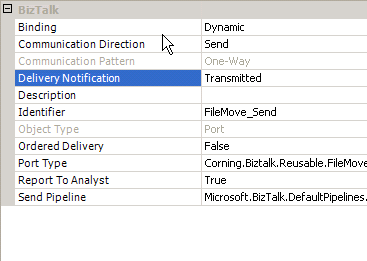
3) Mark Orchestration with Delivery Notification = Transmitted
4) Use "Catch Exception shape"
5) Select the following exception type in properties:
"Microsoft.XLANGs.BaseTypes.DeliveryFailureException"
6) Call the insert method for populating database in the "Catch" shape.
8) Put the "Send" shape to save the "bad" files to a folder.
7) Then PUT the "terminate" shape in the "CATCH shape".


Wednesday, January 11, 2006
Wonderful Cruise!
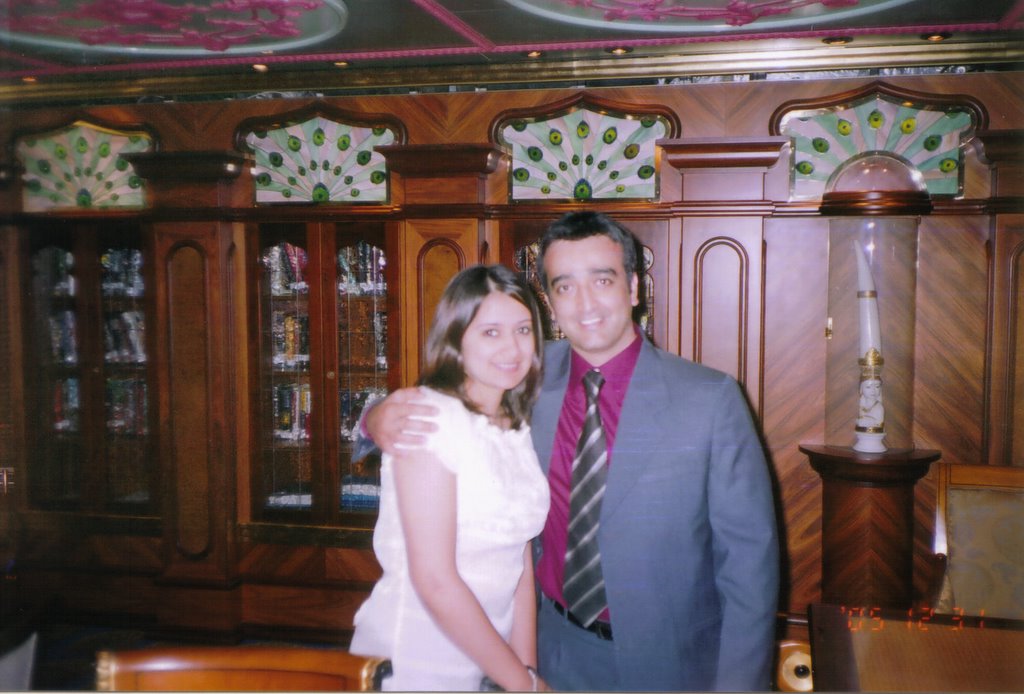
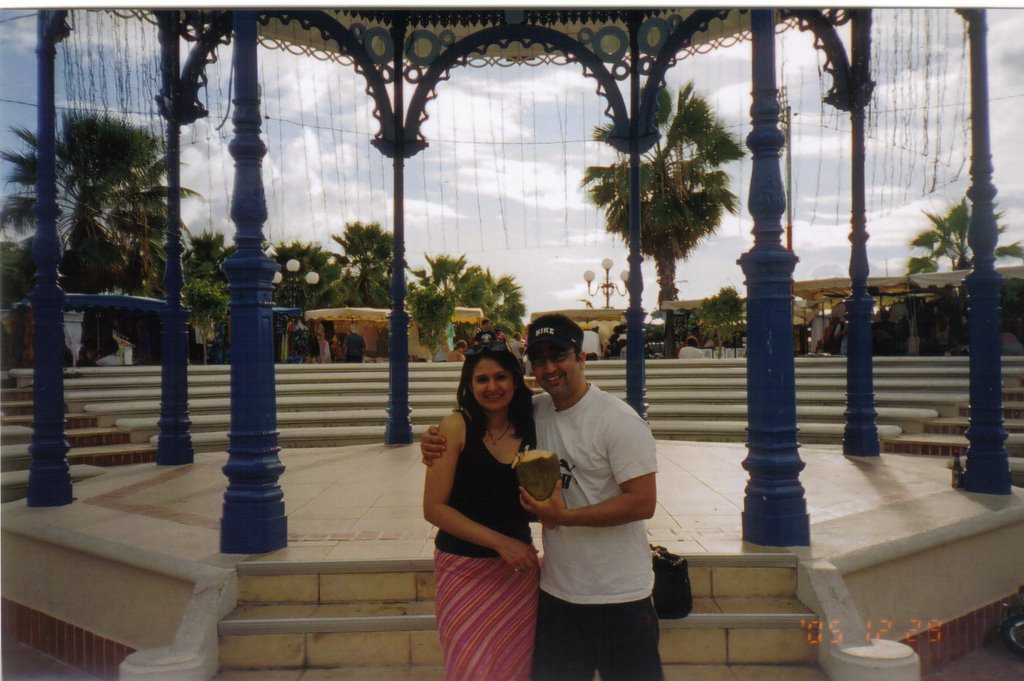
I went on cruise with my wife. It was our "HoneyMoon" cruise. Even though it took place after 6 months of our marriage. I had just enough time to get married in June so we did not push for Honeymoon that time. Although we did went to India for our Reception as we got married in USA. After we came back she became busy with her residency and I went down with my project. Xmas and New Year stretch was good for the break we needed and we used that time to hop on a ship and hit the Caribbean. We went to San Juan, Saint Maartin and Saint Thomas. I personally loved Saint Thomas. The beaches are pristine there. We had tons of fun before coming back to Sub Zero temps. I am also putting some pics from our trip!

Tuesday, January 03, 2006
FileMove Application and "MessageBox" error
1) Created a simple Orchestration with single receive port that will have filter for every possible file. i.e. pdf, dat, xml, txt etc.
2) Create a Dynamic port
3) Create a "Helper" class in VB.net. This will parse the incoming file name to extract the URI for dynamic port. This URI will determine where the file should be routed too.
I set up the whole project but found some interesting facts:
1) If the URI is blank for some reasons. You will get the following error in the eventvwr.
"Exception occured when persisting state to database".
2) The syntax for the URI for dynamic port will be.
file://servername/sharedfolder/Filename.
The start of the URI will tell the port that it is a "FILE" adapter. The rest will give the complete path to drop the file.
3) While using File.ReceiveFileName in the expression share. It will not only give the whole filename but also the path of the receive folder. In order to get the actual FileName, one will have to parse the whole path string.
Wednesday, December 21, 2005
Changing external assembly reference in Maps & Orchestrations
1) New SNK was created and hence the Public Token key changed. (Very rare to happen)
2) For some reasons the name of external assembly have to be changed. (We had to do this in our project. This was done in order to adhere to naming standards of Biztalk artifacts)
Standard way of doing this can be really tedious. As one have to go to each map and click on each "Functoid" and go to properties to change to new "Assembly name". Same thing will need to be done for Orchestrations.
If like us you have 20 maps with average 30 functoids per maps and 20 orchestrations then you need to keep 2 days aside for this "boring" job!
The second option can make your life easy and get you up and running in 30 mts as compared to 2 days. This is what you do:
1) Open the Map/Orchestration in Text Editor (Ultra Edit in our case)
2) Do a Find and replace in the whole file. "Find" "old assembly.dll" replace with "new assembly.dll".
3) Replacement will be done for "Assembly", "Class" and "Assembly Path" in the file.
4) Save the file and you are all set!! That easy!
Care should be taken while doing this operation as it is large scale "find" and "replace" operation.
Tuesday, December 13, 2005
Aggregating the "Split-Gatherer" Pattern using SQL
These 2 scenarios were slowly taking menacing proportions. In order to counteract them our team came up with “SQL database” aggregator. It is simple in design and very fast. The files are split as before. But now each transaction is stored in SQL database as XML node. Parameters like Orchestration ID, FileName and Unique identifiers are passed along with the XML node. At the end the XML file is extracted by combining these nodes and using parameters passed to aggregate the correct transactions from the database. Stored procedures are used to Build the final XML .
Wednesday, December 07, 2005
Biztalk 2006 is cool!!
1) Calling Pipelines from Orchestrations using expression box
This can help in creating single common orchestrations for messages with different schemas as they can be routed using dynamic calls of "Pipelines" from Orchestration. This will be real cool!!
2) Flat File wizard for creating Schemas
This will be huge! From my experience, creating FF schemas are real pain. Imagine having wizard for it now.:)
3) Standard processing and Recoverable interchange process in Pipelines
In my present project we are using substantial .Net code to log the errors in pipelines. This actually slows down the processing time. This new feature will definitely help!
4) Can generate errors that can be subscribed by send ports using pass through. Use filter on original receive ports that we created. Catch the error message, change it and re process it. This is called “Failed message Routing”
5) POP for email receive
Biztalk 2004 CAN only send emails. 2006 will give ability to even receive and process them. Imagine activating Orchestration by sending an email.
6) Better BAM services
7) Interfaces
SAP adapter is standard with 2006!
8) Shared point adapter
9) Ordered delivery:
To achieve first-in-first-out or "Ordered" delivery is BTS 2004 we need MSMQ/T . But in BTS 2006, with little configuration the same thing can be achieved by using standard MSMQ. This is what is required.
1) Set Ordered Processing Property on Send Port
2) Set the same Order Processing property on Receive Port
3) Set MSMQ to transactional.
Wednesday, November 16, 2005
Connection Pool Issue
In my present project, we extract data from PSFT database using SQL. These queries are called by Functoid in the Maps. The number of these functoids is about 40 for each map. We are using OracleClient class to Fill the dataset with the return value. Database connection is closed and opened after every query. Lately the transaction volume has increased and is projected to increase further. This increase in volume is returning "connection pool" error. Because a file can have multiple transactions and each transaction can potentially open 40 connections at a time. We talking about thousands per day.
After some brain storming sessions, we came up with the following solution.
It will be a 3 tier solution.
First layer will be windows service which will create a dataset from all the possible queries. The second layer will be a webservice that will work like a wrapper and pass the resulting XML dataset from webservice to the Orchestration. Orchestration will be third layer that will call the webservice and grab the XML file with the values that will be then mapped using existing map. This way we will able to limit the connection pool from 1 per transaction to 1 per file. Since a file can have anywhere till 1000 transactions. This is a huge reduction.
Below is my "brain dump".
Windows Service:
1) Will do the processing and all the queries reside here.
2) Uses Config file for queries with use of array so that new queries can be added easily
3) Pool at specific intervals
4) Load the data at first initialization and after that just validates it if it is latest.
5) Validation will be done on bases of some flags
6) Once change detected the whole dataset is loaded.
7) Dataset is per site.
8) Can have single window service per site or one for all sites
Web Service:
1) Acts as wrapper to pass the dataset
2) Runs the validation on data set whenever called and based on changes will re-load the dataset using windows service.
3) Will be called from Aggregator using Expression shape.
4) Call will be made per file that coming in to orchestration
5) Every time web service is called it will invoke validation method that will in turn look for “flags”. That way we will avoid loading data all the time when webservice is called.
6) Each call of webservice will do data validation and not data upload. Unless it needs to.
7) This way we open one connection per file and that too 99% of time will load no data. Just do the validation
Orchestration
1) With the present design, use expression shape.
2) Can pass System. XML as parameter
3) If use call orchestration, will have to have 3 different schemas to pass as parameter that can be appended by the Mapping dataset then
Wednesday, September 14, 2005
"NameSpace" error
Wednesday, August 24, 2005
"Call" Orchestration and Dynamic Ports
This "Common Orchestration" is just like any another orchestration but will have NO "Receive" shapes. I used an "Request-Response" "dynamic" port that will read PSFT HTTP gateway address from REGISTRY KEY. The two-way dynamic port will receive status XML from PSFT and analyze the node for "success" and "failure". If it is a failure then the "Main Orchestration" will go in suspended mode but "resumable". Once the error is fixed, manual intervention will be required to send the message again by resuming it using HAT. An error message will be generated in the event viewer so the Production support people can be informed.
Main Orchestration will call this "Common Orchestration" using "Call Shape" and pass the parameters.
I used the following code for the dynamic port: PortName(Microsoft.XLANGs.BaseTypes.Address) = getmethodURL()
Friday, August 19, 2005
Interesting Observation regarding HTTP adapter receive codes
Friday, August 12, 2005
Biztalk Macros for FileNames
%datetime%:Coordinated Universal Time (UTC) date time in the format YYYY-MM-DDThhmmss (for example, 1997-07-12T103508).
%datetime_bts2000%: UTC date time in the format YYYYMMDDhhmmsss, where sss means seconds and milliseconds (for example, 199707121035234 means 1997/07/12, 10:35:23 and 400 milliseconds).
%datetime.tz%:Local date time plus time zone from GMT in the format YYYY-MM-DDThhmmssTZD, (for example, 1997-07-12T103508+800).
%DestinationParty%:Name of the destination party. The value comes from message the context property BTS.DestinationParty.
%DestinationPartyID%:Identifier of the destination party (GUID). The value comes from the message context property BTS.DestinationPartyID.
%DestinationPartyQualifier%:Qualifier of the destination party. The value comes from the message context property BTS.DestinationPartyQualifier.
%MessageID%:Globally unique identifier (GUID) of the message in BizTalk Server. The value comes directly from the message context property BTS.MessageID.
%SourceFileName%:Name of the file from where the File adapter read the message. The file name includes extension and excludes the file path, for example, foo.xml. When substituting this property, the File adapter extracts the file name from the absolute file path stored in the FILE.ReceivedFileName context property. If the context property does not have a value, for example, if message was received on an adapter other than File adapter, then the macro will not be substituted and will remain in the file name as is (for example, C:\Drop\%SourceFileName%).
%SourceParty%:Name of the source party from which the File adapter received the message.
%SourcePartyID%:Identifier of the source party (GUID). The value comes from the message context property BTS.SourcePartyID.
%SourcePartyQualifier%:Qualifier of the source party from which the File adapter received the message.
%time%:UTC time in the format hhmmss.
%time.tz;%Local time plus time zone from GMT in the format hhmmssTZD (for example, 124525+530).
Sunday, August 07, 2005
ASP.Net issue
1) Ensure that the "Virtual Directory" in IIS where the ASPX is located is configured for Execute permissions for "Scripts and Executibles"
2) Unlike ASP page where we use "server" object, ASP.Net takes the incoming XML as "stream". Be very careful in converting the stream to array and then to string. Make sure that the stream is "encoded" while its being received by ASPX and "decoded" while it is being sent by ASPX page to Biztalk.
3) I have seen some sample code on various website using ASCII encoding. I had lots of problems with it and after wasting several hours I found out that "UTF-8" encoding is the one that does the trick.
4) Last and not the least: Do not forget to restart the IIS (Run Command "iisreset") when you get 500 errror.
Wednesday, May 11, 2005
"Zombie" scenario in Aggregator
Solution: It was simple. We increased the timer delay from 60 seconds to 240 seconds. It did effect the performance but that was offset by the "no loss" of transactions.
Sunday, April 03, 2005
Seperating Items from Order without Orchestration
He wanted the following structure as output:
There is a solution where you have to promote property and use XPath in orchestration to do this. I saw this on Stepehen's website. I found another way to achieve same. This new way is even faster.
1) Generate the schema from the original file call it "IN"
-
-
-
-
-
-
-
-
-
-
2) Generate another schema call it OUT
-
-
-
-
-
-
-
3) Use Map1 to populate fields from IN to OUT.
4) The resutlant file will be:
-
-
-
-
5) Now you can drop this file to a folder. This file format is easy to split now.
6) Split it using XML disassembler. Envelope schema will be
7) Create another map that takes input structure as the "split" structure. i,e
8) The output of that map will be of type: (Original type in step 1)
-
-
-
-
-
-
-
-
-
-
9) Now this map will give yu the desired output after completing the mapping.
10) You can put this "second" map in either a "Port" or "Orchestration"


_511.gif)
_530.gif)